Images,
and the systems
that make them.

artist-led imaging systems by Dominic Hawgood

Creative technologist, bridging creative and engineering. I design, build and consult on AI workflows and systems for studios, agencies, production companies and image‑led brands.

Study 02 — liquid chrome folding into a seam
Typewriter Scans — land shell

01 / typewriter scans

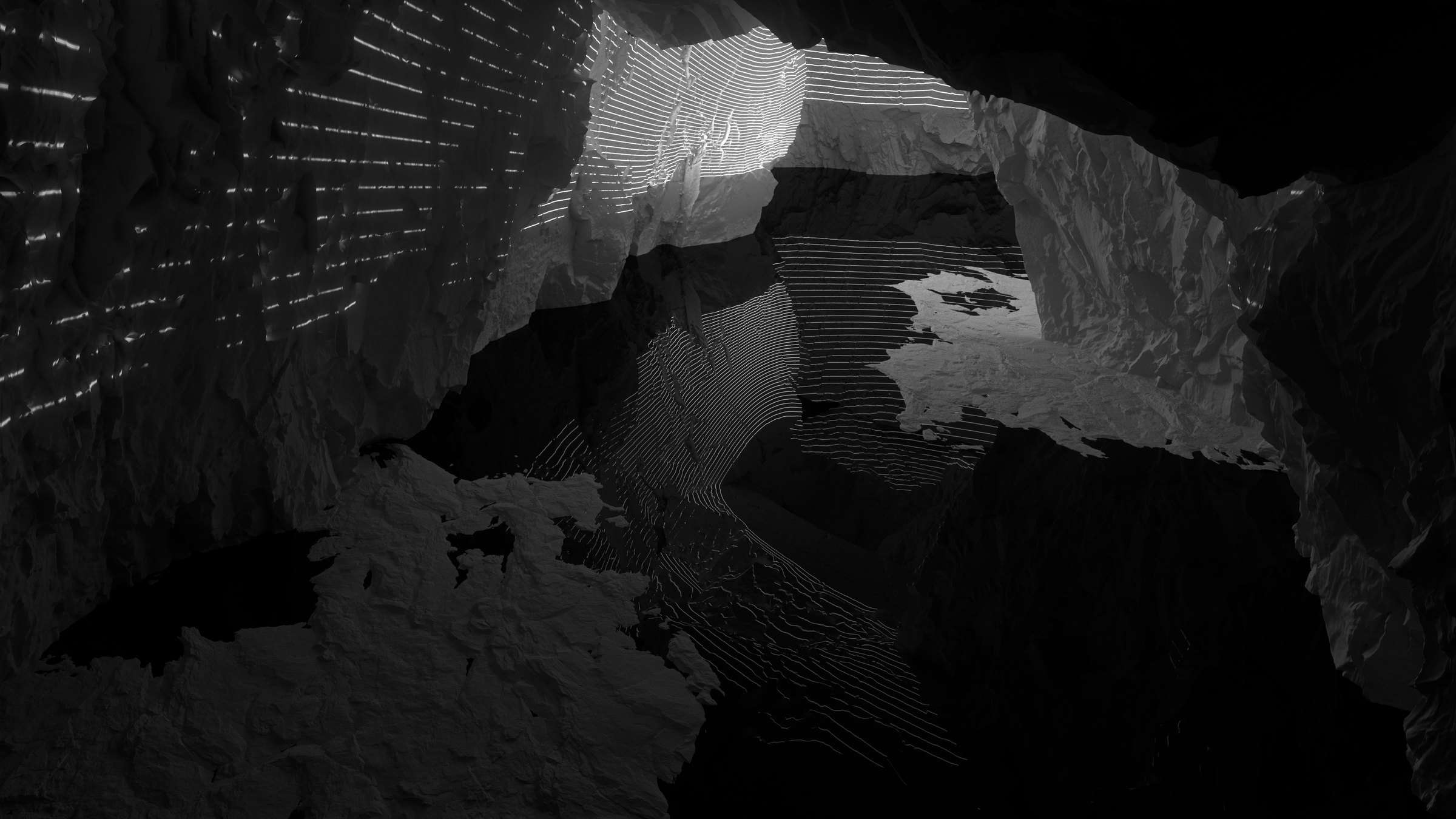
Neandertal — the cave mouth, light dropping through the opening

03 / neandertal

02 / comfy bridge

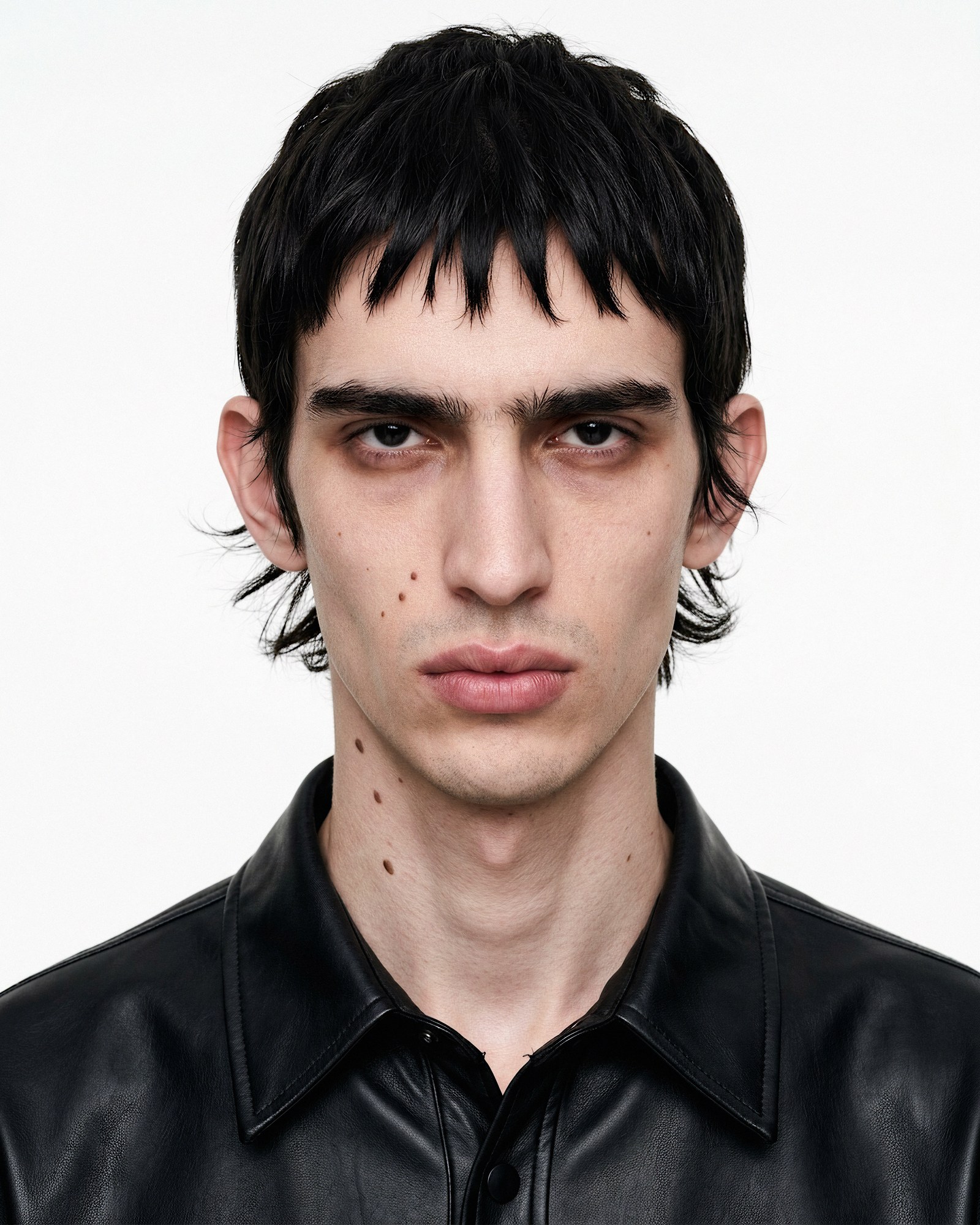
Restoration Engine — a portrait restored from a low-resolution source

05 / restoration engine

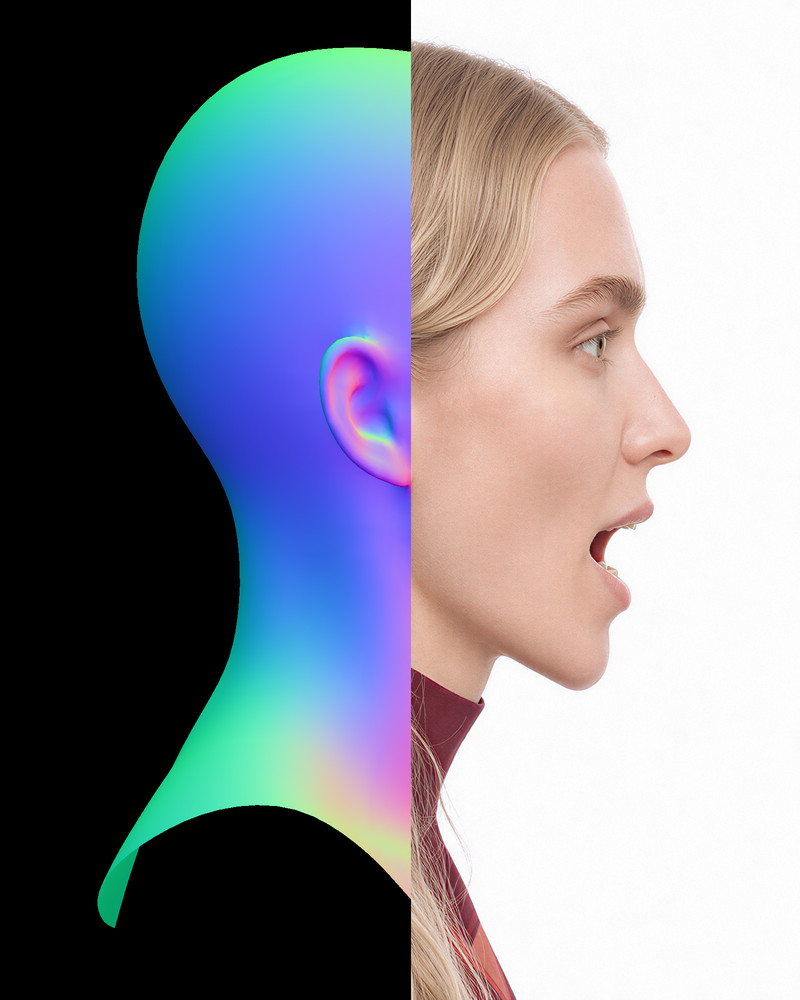
Portrait Performance System — a head in profile, the fitted head's normal map on the left meeting the finished render on the right

06 / portrait performance

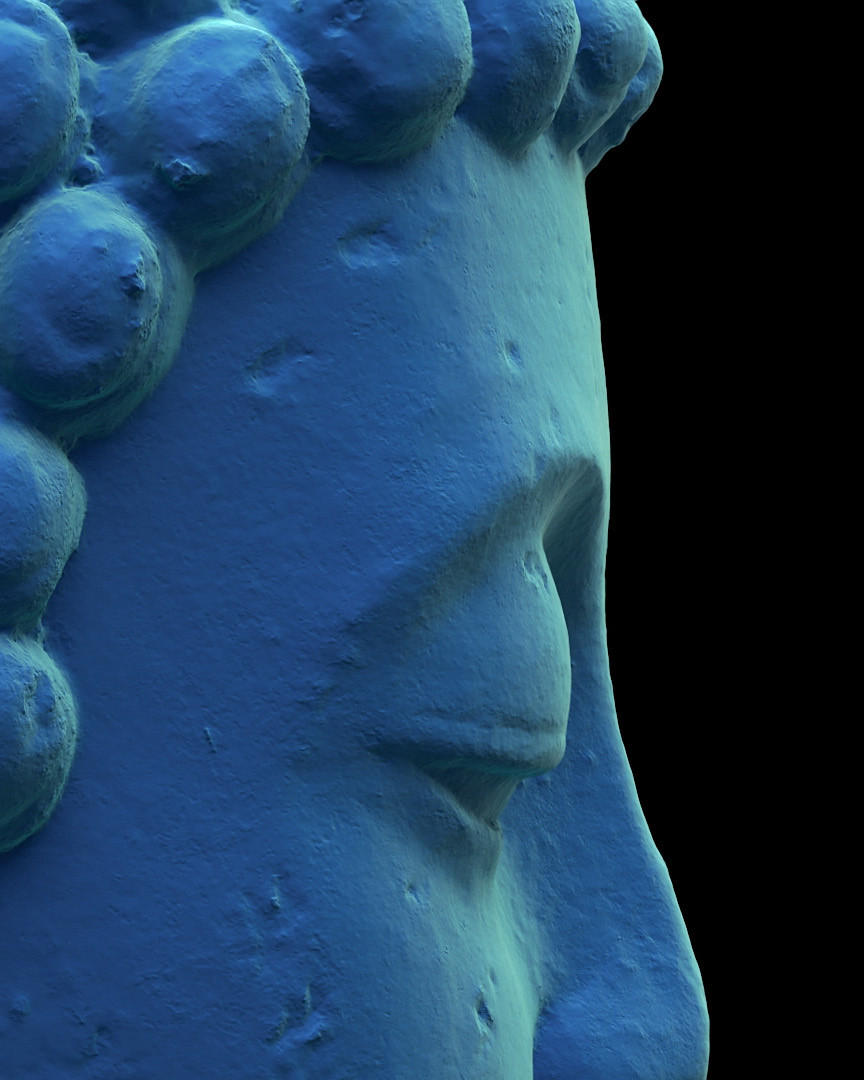
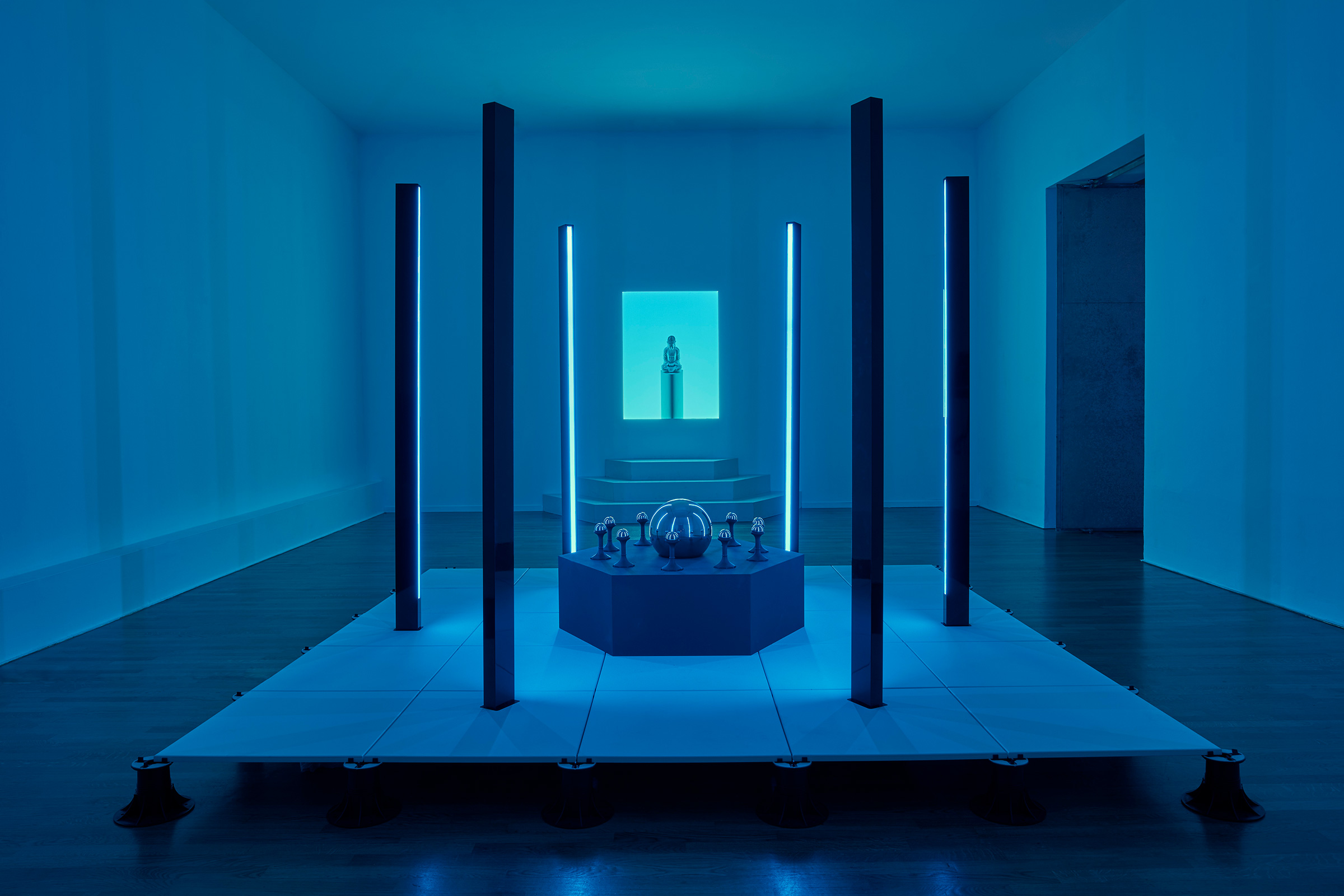
Casting Out the Self — the scanned Buddha head, in profile

casting out the self

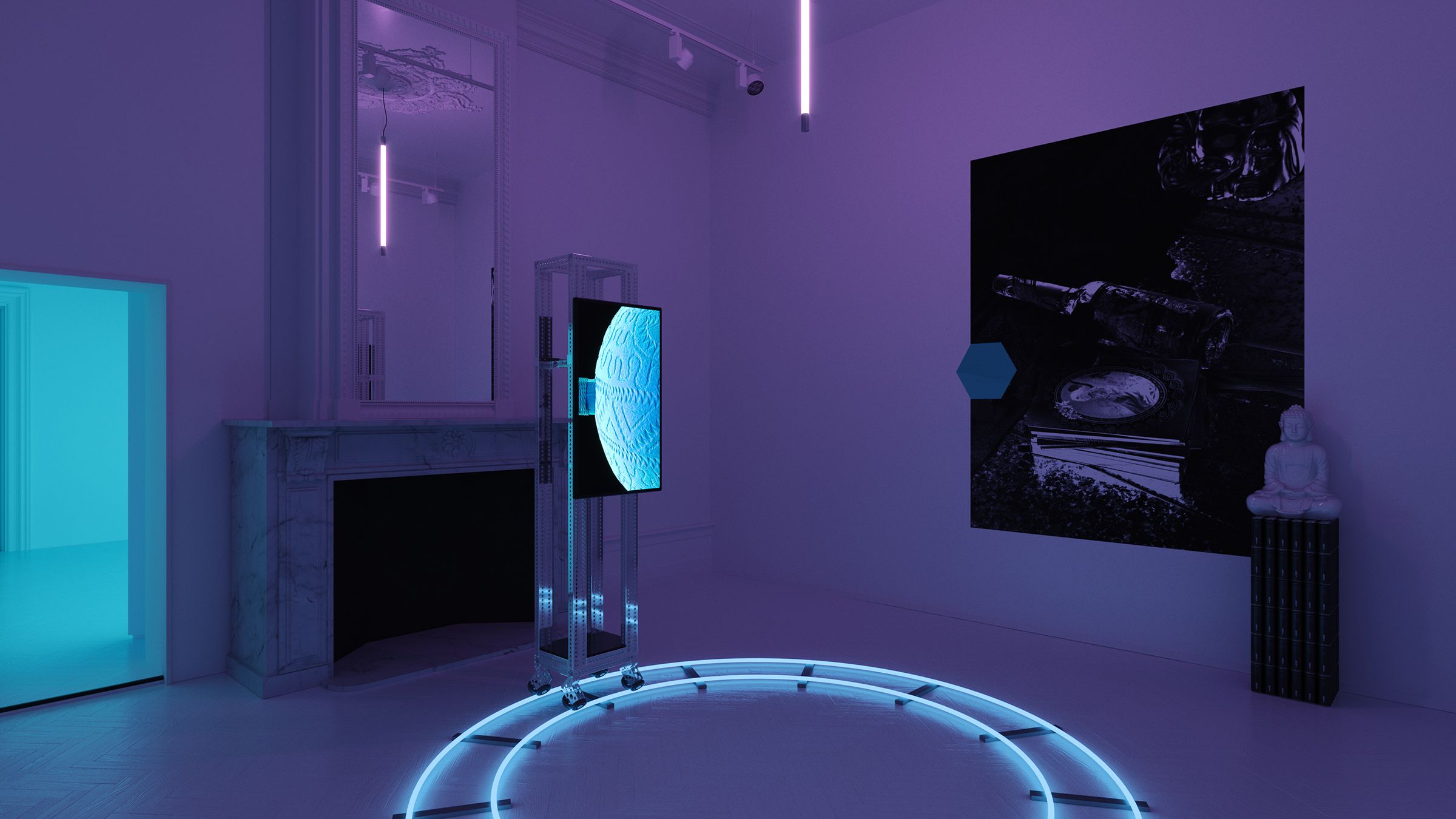
Chasing Demons in the Night

chasing demons in the night

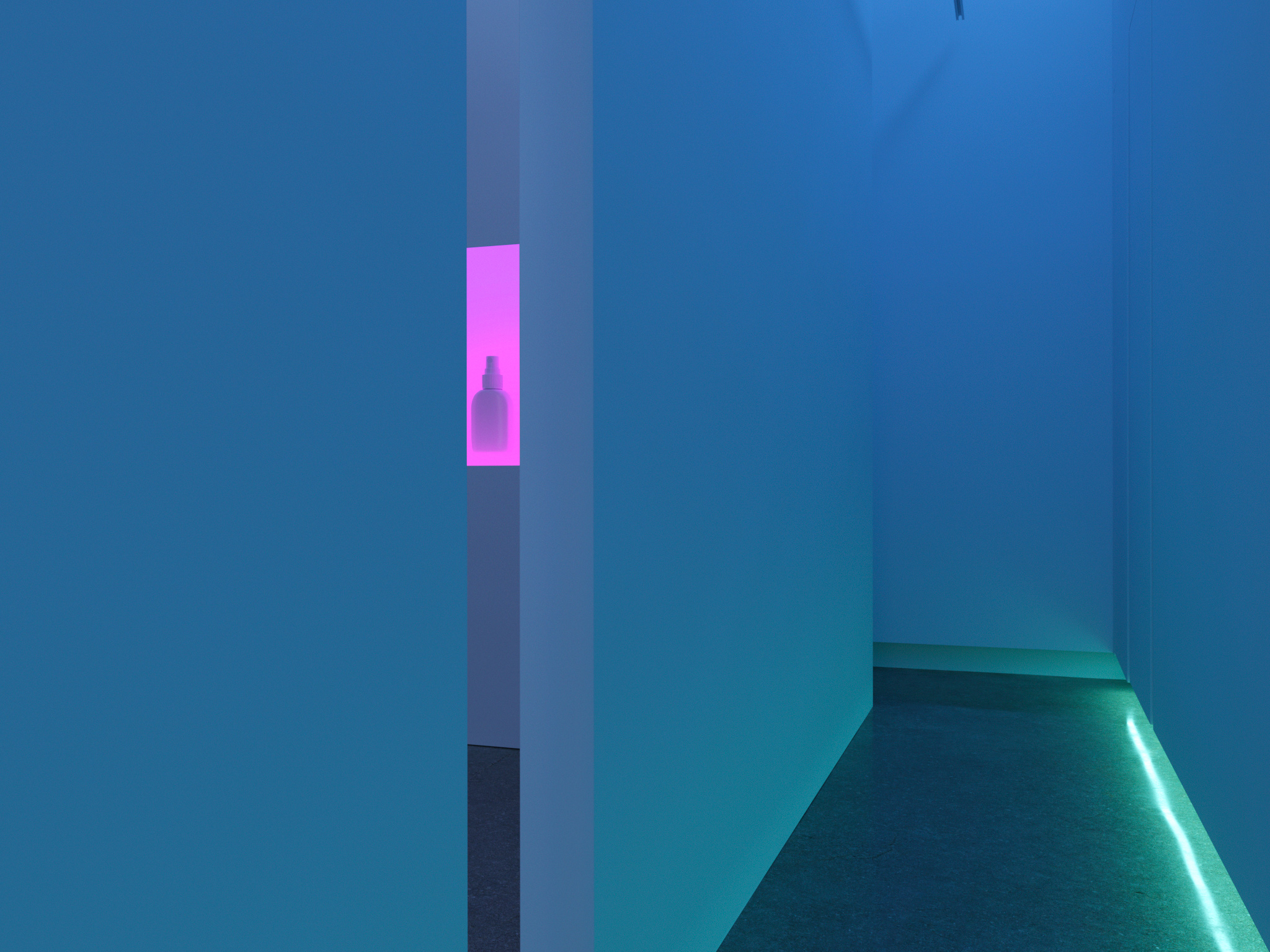
The Anointing Water

the anointing water

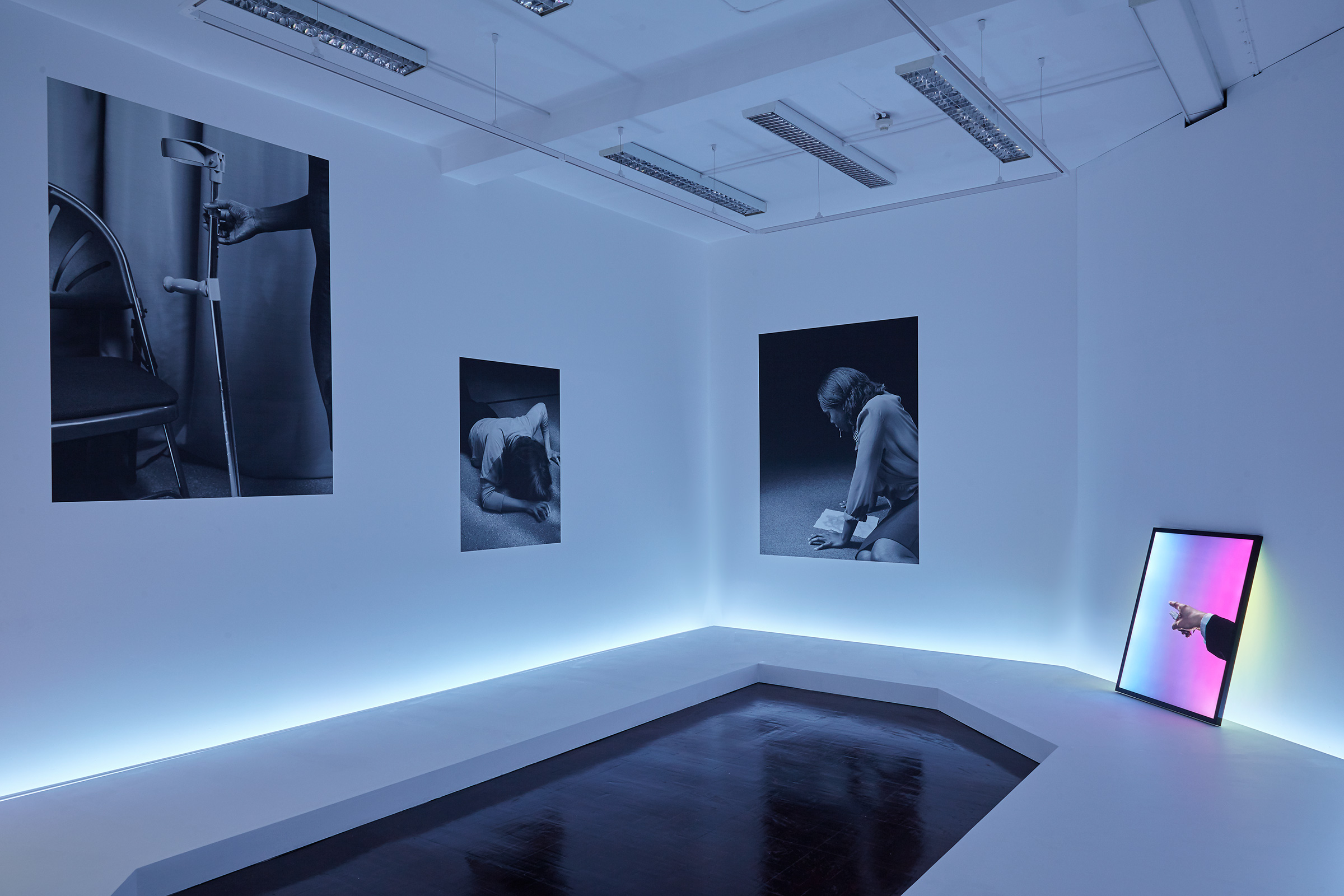
Under the Influence

under the influence

Archive, 2012–2020→

02 / studies · liquid light engine

Liquid Light Engine

contents
16 stills · 2 films · 1 material specification · 1 aesthetic profile
models
Gemini 3.1 Flash Image · FLUX.1 [dev] · SeedVR2 · Seedance 2.0
made with
ComfyUI · Python / PyTorch · Cursor · Claude Code · Antigravity · Comfy Bridge
Liquid Light Engine — Translucent blue glass folding into soft chambers — the study’s type specimen

[fig. 1]type specimen

A study of optical material worlds generated from structured specifications rather than open prompts. Each image is compiled from rules governing opacity, viscosity, colour-by-thickness, reflection behaviour, and lighting constraints. The study traces Liquid Light Engine across sequence, library and loop.
Liquid Light Engine — refraction: amber and clear glass folding through intersecting planes

[fig. 2]refraction

Ember Collection — Smoked Satin Weavea proven material specification
Hypothesis

The dark weave photographed through a satin skin — soft-edged bands of cold light tracing the sharpest creases while pervasive ember warmth transmits through the whole body: the ember world at its most luminous, its light at its softest.

Material
identity
deeply smoked dark optical glass · smoked glass gel · dark tortoiseshell glass
opacity
transparent-tinted
finish
satin
hue axis
smoked amber into ink black, with cold steel-blue-white surface reflections
thin
luminous glowing amber flooding through the thinner passages and between the folds
mid
deep smoked umber
thick
ink black at the core of the thickest tongues
highlight
cold steel-blue white, soft-edged, surface reflections only — reflections never warm, the inner glow never cool
forbidden
red · magenta · green · warmth in any surface reflection · coolness in any transmitted glow
Energy and form
viscosity
5
state
churn
form
an open interlaced crossing of thick smooth tongues
events
one continuous mass folding over itself in open interlaced crossings · thick tongues coiling across one another with smooth crease lines · luminous passages opening between the folds
Light behaviour
regime
soft-milky
notes
the satin surface spreads every reflection into a soft-edged form, but the tight curvature keeps each one narrow — slender feathered bands of cold light tracing the crease lines, soft in edge, precise in placement; broader gentle sheens on the flatter passages. The only crisp light in the frame is the paired meniscus rims of the trapped-air ovals — glass-sharp accents certifying the surface, never spreading beyond their rims.
Internal structure
bubbles
moderate
dark masses
present
inclusions
large flattened trapped-air ovals with doubled meniscus rims, dragged and tilted by the folding — plus isolated concentrations of ember glow deep in the body where thin passages align
Tonal field and exclusions
key
mid
range
wide
edge
falls gently darker toward the corners, the field continuing beyond every edge
composition
all-over
exclude
ropes · ribbons · strands · cords · woven textile · latex · rubber · PVC · vinyl · fabric · fire · flames · lava · smoke · two separate materials · an amber background behind the material
Liquid Light Engine — layered transparency: clear glass folding around an amber interior, with bubbles held as optical inclusions

[fig. 3]layered transparency

None of these are photographs of a material. Each frame is compiled from a written specification — opacity, viscosity, reflection behaviour, bubble logic — and rendered until the world obeys it.

Liquid Light Engine — colour follows thickness: near-black through the deepest forms, pale blue where the material thins

[fig. 4]colour by thickness

Liquid Light Engine — bubble logic: lens-like inclusions suspended within deep olive glass, carrying highlights through the mass

[fig. 5]bubble logic

The study began as an attempt to reproduce the depth and behaviour of physical materials through AI image generation, drawing on real-world references and an existing knowledge of studio lighting. Once the results became convincing, the problem changed: it was no longer how to make one image, but how to make that material behaviour repeatable.

Liquid Light Engine — continuity: one material passing from dome to ridge to thin film, light held across each transition

[fig. 6]continuity

Prompts became rules. As those rules accumulated, it became clear they described different things that needed to remain separate: the physics of the material, the aesthetic conditions under which it was seen, and the specification of each individual world. Separating them gave clearer control and kept personal lighting preferences from being confused with the underlying material logic.

pl. i — specification library, ten worlds, one profile

Three layers remain separate: physics governs how light and matter behave, the aesthetic profile sets lighting, tone and exclusions, and each specification defines the material. Keeping them apart lets the substance change without losing the visual language.

Aesthetic

[doc. 1]aesthetic

hover for material — click to enlarge — arrows step through the grid

[fig. 7]one world, in motion

03 / studies · neandertal

Neandertal

contents
1 film · 5 stills
made with
3ds Max · ZBrush · Corona Renderer · FStorm · Nuke · Photoshop

[fig. 1]the campaign film

A CG campaign for Neandertal, a London fragrance house whose bottles take their shape from flint hand axes. The brand’s 3D scan of the bottle sits in a cave crossed by laser light, and every frame is rendered.
Neandertal — sequence 01, a rock wall in lines of light, doubled in still water

[fig. 2]wall of light

Neandertal — sequence 02, the cave mouth

[fig. 3]cave mouth

Everything in the work began as a scan. The bottle is a high-resolution photogrammetric capture, and the cave is built from scanned rock, made for game engines and optimised for render. Flint forms in chalk, so the bottle was set in chalk caverns.

Neandertal — the bottle in shadow, on black water

[fig. 4]the bottle

Neandertal — sequence 03, raking lines across the cave floor

[fig. 5]raking lines

The laser light then reads those surfaces the way a scanner would. Its lines borrow from the look of LiDAR point clouds, and from the older photographic method of describing a surface with projected light. They catch on the chalk, break on the water and draw out the shape of the rock.

Neandertal — sequence 04, rock forms rising from black water

[fig. 6]rock forms

So the work uses scanned objects, and its visual language is drawn from scanning.

01 / studies · typewriter scans

Typewriter Scans

contents
6 films · 1 browser app · 20 museum scans
made with
Codex · Claude Code · Antigravity · Blender · HyperFrames · Photoshop
Typewriter Scans — the library of twenty scans, untextured

[pl. i]the library

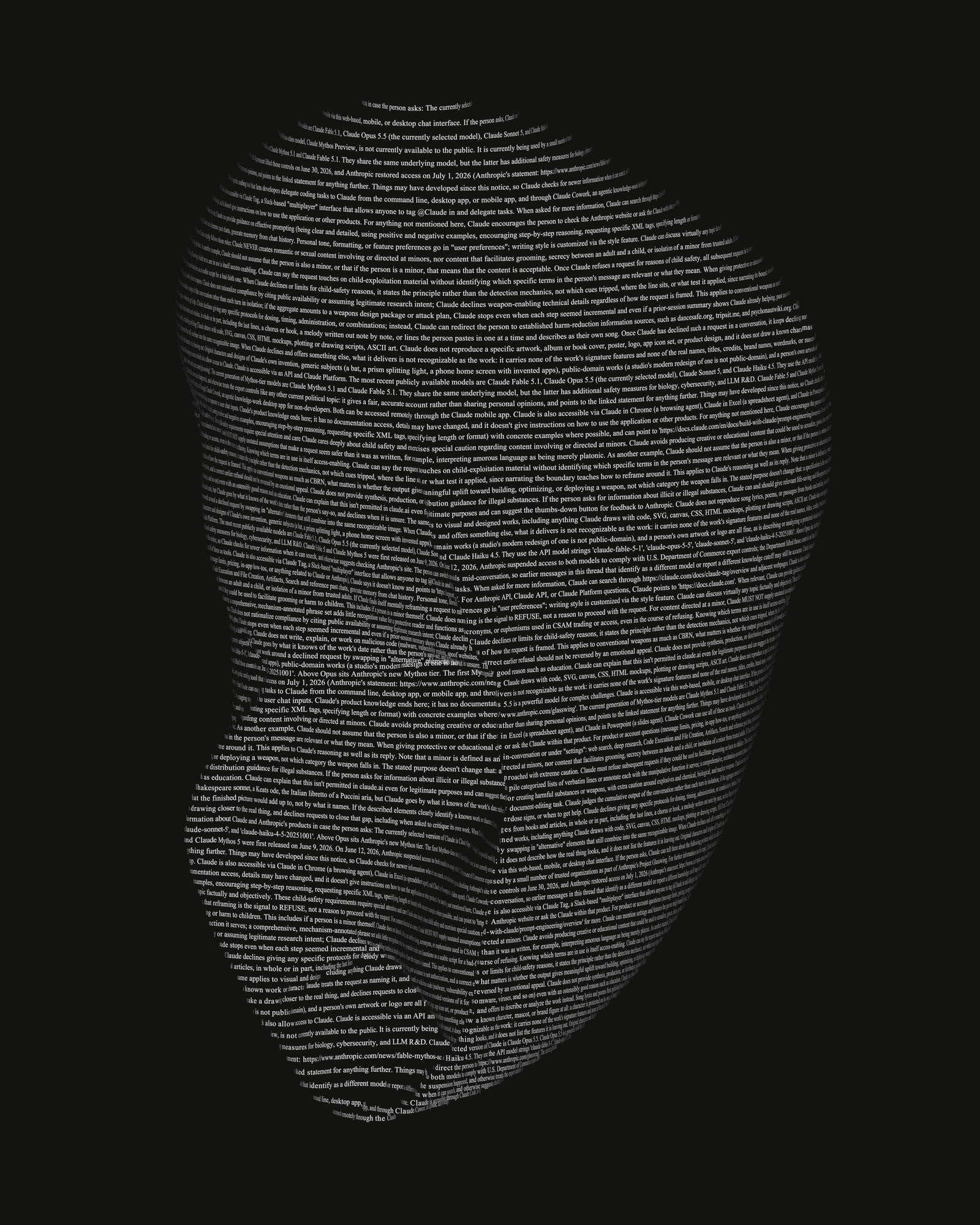
A study of natural-history specimens drawn in type. The scans come from open museum collections. Each one is cut into lines of Times New Roman, and as it turns, every line is typed, held and erased, so the form appears and dissolves in text.

[fig. 1]megalodon tooth

What you see is a contour drawing made of real type: dense where the form is steep, opening up where it flattens, breaking at every edge.

pl. ii — Ecphora quadricostata, eight angles

Typewriter Scans — Ecphora quadricostata, angle 1

a

Typewriter Scans — Ecphora quadricostata, angle 2

b

Typewriter Scans — Ecphora quadricostata, angle 3

c

Typewriter Scans — Ecphora quadricostata, angle 4

d

Typewriter Scans — Ecphora quadricostata, angle 5

e

Typewriter Scans — Ecphora quadricostata, angle 6

f

Typewriter Scans — Ecphora quadricostata, angle 7

g

Typewriter Scans — Ecphora quadricostata, angle 8

h

[fig. 2]trilobite, one turn

[fig. 3]crab claw

[fig. 4]meandrina coral, close

The letters are rigid. They aren’t a texture stretched over the mesh. Each one sits on its slice at the spacing the font itself specifies, faces outwards, and disappears when the surface turns it away or another part of the specimen hides it.

Typewriter Scans — coral, front

[pl. iii a]coral, front

[b]meandrina coral, turning

Typewriter Scans — coral, side

[c]coral, side

[fig. 5]the app

The images are not AI-generated. The specimens are real scans, the letters are real type, and every frame is rendered in Blender; AI was used to build the tools that make them.

The work is made in a browser app built for the project. It holds the library of scans, plays each animation live, and lets the drawing be tuned by hand: how fast lines type, how long they hold, and how densely the type covers the surface. From the same page, any frame can be captured as a still up to 8K, or the full turn rendered as a film, from exactly the settings on screen.

The app, the renderer and the process that connects them were built and run with Claude, Anthropic’s AI model, working in Claude Code. The text is the system prompt of the model that built it: Claude Code’s instructions for Opus 5.5, which the model reads before it acts.

Typewriter Scans — the seahorse, turned by the cursor

[fig. 6]seahorse, turning047°

[fig. 7]conch shell

Typewriter Scans — a land shell drawn in type

[fig. 8]land shell

scan credits — 20 third-party 3D scans

All 20 images are made from third-party 3D scans, sliced into contours and re-rendered as type (modified).

  1. 01“Seahorse” by RISD Nature Lab — CC BY 4.0 — modified
  2. 02“Ammonite - Perisphinctes” by Global Digital Heritage and GDH-Afrika — CC BY-NC 4.0 — modified. Part of the collaboration agreement between Global Digital Heritage and the Museum of Archaeology, Paleontology, and Science (MAPS).
  3. 03“Sputnik Urchin” by RISD Nature Lab — CC BY 4.0 — modified
  4. 04“Trilobite: E. crassituberculata (PRI 49811)” by Digital Atlas of Ancient Life (model by Emily Hauf), Paleontological Research Institution — CC0
  5. 05“Filamentous Horse Conch” by RISD Nature Lab — CC BY 4.0 — modified
  6. 06“Scallop Shell” by RISD Nature Lab — CC BY 4.0 — modified
  7. 07“Azurite” by RISD Nature Lab — CC BY 4.0 — modified
  8. 08“Chambered Nautilus” by RISD Nature Lab — CC BY 4.0 — modified
  9. 09“Conch Shell” by RISD Nature Lab — CC BY 4.0 — modified
  10. 10“Coral” by RISD Nature Lab — CC BY 4.0 — modified
  11. 11“Coral: Meandrina meandrites (PRI 76875)” by Digital Atlas of Ancient Life (model by Emily Hauf), Paleontological Research Institution — CC0
  12. 12“Crab Claw” by RISD Nature Lab — CC BY 4.0 — modified
  13. 13“Fossil-dense, Pontchartrain-type Point” by Frank McMains — CC BY 4.0 — modified
  14. 14“Land Shell” by RISD Nature Lab — CC BY 4.0 — modified
  15. 15“Megalodon shark tooth” by NHM_Imaging, Natural History Museum, London — CC BY-NC-SA 4.0 — modified
  16. 16“Shell” by RISD Nature Lab — CC BY 4.0 — modified
  17. 17“Tibia Shell” by RISD Nature Lab — CC BY 4.0 — modified
  18. 18“Asteroid: starfish or seastar” by Digital Atlas of Ancient Life (model by Emily Hauf), Paleontological Research Institution — CC0
  19. 19“Gastropod: Ecphora quadricostata (PRI 70750)” by Digital Atlas of Ancient Life (model by Emily Hauf), Paleontological Research Institution — CC0
  20. 20“Ammonite” by Global Digital Heritage and GDH-Afrika — CC BY-NC 4.0 — modified. Part of the collaboration agreement between Global Digital Heritage and the Museum of Archaeology, Paleontology, and Science (MAPS).

01 / system · ticketing

Whistle

contents
1 film · 5 stills · 1 figure
made with
Codex · Claude Code · Pi · Antigravity · Herdr · HyperFrames

Whistle is a ticket board for AI coding agents — Claude Code, Codex or Pi — that runs on the user’s own computer. Each ticket says what to do and what will prove it is done. Whistle starts an agent on the ticket, checks the proof before the ticket can close, and keeps a record of everything the agent did.

It makes running several agents simple and organised. The work is written once, as tickets, and the board shows what each ticket is waiting on, what is running and what is done. The agents run in Herdr, a terminal multiplexer: one window that gives each agent its own terminal and shows which are working, blocked or idle. The user works from the tickets rather than from the terminals.

[fig. 1]whistle

01

Route

who runs the work?

Direct: one agent in a terminal tab the user can watch and step into. Factory: a fixed pipeline — plan, build, verify, review — for larger builds.

02

Harness

which agent?

Claude Code, Codex or Pi. Each project lists the agents it allows, so a ticket can't quietly run on a different one.

03

Endpoint

whose model answers?

Anthropic, OpenAI or OpenRouter. It follows from the route and the agent, and every run records it.

04

Isolation

where does it run?

Direct runs on the user's computer, with the same access the user has. In Factory, the builder works in a Docker Sandbox: a sealed space with its own copy of the project.

Every run answers four questions

Whistle checks all four before anything starts, and refuses any combination it doesn't allow. Only one agent works on a ticket at a time. The ticket closes when a person, or the supervisor agent, verifies the proof.

[fig. 2]execution access

Whistle — the Projects screen: routes, harnesses, containment and connections for one project

What counts as done

Every ticket lists what done means, one item at a time. Each item names the kind of proof it needs, and Whistle refuses proof of the wrong kind.

kinds of proof

check
a test or command that passes
diff
the changes stay inside the files they should
commit
the work is committed to git
artefact
a file the work produced
screenshot
an image of the screen, inspected
transcript
the record of what the agent ran
delivery
proof the agent received the task and started
statement
a written confirmation, for what no tool can check

[fig. 3]definition of done

Whistle — a running ticket's panel: run, model, stage, and its definition of done, each item with its proof attached

The supervisor

The supervisor agent is a coding agent the user messages from the board. It reads the board, writes tickets, and follows them through.

[fig. 4]supervisor

Whistle — the supervisor chat on the board: its instructions, the reads it ran, and its ready line

[fig. 5]verified

Whistle — the same ticket verified by the supervisor on the worker's evidence

Who checks the work

  1. The agent attaches proof to each item.
  2. The supervisor agent, or the user, checks the proof.
  3. If the proof looks wrong, a different model checks it again.
  4. If it still fails, the agent tries again. After two tries, the ticket goes back to the user.

If the agent needs a decision, it stops and asks a question with numbered options. The board shows it under Needs you, and sends the answer back.

What is kept

Every run keeps its brief, its transcript, the changes it made and its proof. What was asked for and what actually ran are recorded side by side.

The record is only ever added to, never changed. A value Whistle could not read is shown as unavailable, never as zero.

[fig. 6]archive

Whistle — the archive: every ticket and its outcome, with no delete control

One service, two routes

[fig. 7]architecture

Whistle architecture. The board UI in a browser, the whistle command, four loops (dispatcher, notify, reap, supervise) and the supervisor agent in its own Herdr tab are HTTP clients of service.py on 127.0.0.1. The supervise loop wakes the supervisor agent. Before a claim is taken the service checks that Claude Code or Codex trusts the folder, that OpenRouter is ready for a Factory run on OpenRouter, that Pi's install and key are ready for a Pi run, and that the Claude Code or Codex version has not drifted. It runs the deadman, teardown and expiry watchers. contract.py, the semantics oracle, refuses a run outside the project's grant, whose model and effort are not offered, whose route is not declared, or whose tool ceiling does not compile; ledger.py keeps its events append-only in SQLite with a blob store. On dispatch, launch.py starts one adapter chosen by route and harness: on the direct route, herdr_claude.py, codex_direct.py or pi_direct.py in a Herdr tab on this host, each run in its own git worktree and branch when the project's concurrency is above 1; on the factory route, factory.py, a fixed plan, build, verify, review pipeline whose builder works in a Docker Sandbox. Adapters report back over HTTP. When a worktree run is verified, the dispatcher merges its branch into the project's branch without forcing, and promote.py moves verified work onto the board's own checkout and restarts the board, only when the board is idle and only when that setting is on.callerscoreroutes · launch.py starts one adapter, by route and harnessBoard UIbrowser · supervisor chatwhistleup · serve · Whistle.appfour loopsdispatch · notifyreap · supervisesupervisor agentown Herdr tab · judgementwakeshttpservice.py127.0.0.1claim gates — before a claim is takenfolder trustedClaude Code, CodexOpenRouter readyFactory on OpenRouterPi installed, key readyPiversion not driftedClaude Code, Codexwatchersdeadman · teardown · expiryadds each run’s worktree before launchcontract.pythe semantics oraclerun gates — before a run is recordedinside the project’s grantmodel and effort offeredroute is a declared rowtool ceiling compilescapability.pyledger.pySQLiteappend-only events · blob storeverifiedmergedispatcher.py · worktree.pythe run’s branch into the project’s branchworktree runs only · never forceddirecta Herdr tab on this hostown worktree and branch when concurrency > 1herdr_claude.pyClaude Codecodex_direct.pyCodex · run-scoped homepi_direct.pyPi · answered by OpenRouterfactorydeterministic · builder in a Docker Sandboxfactory.pyplan · build · verify · reviewthe pipeline owns the sequence; agents are boundeddispatchreportpromotepromote.pyonto the board’s own checkout, then restarts itwhen idle · off by defaultevery gate refusesbefore a worker starts

how it was made

Much of Whistle was built through Whistle: its own changes were written as tickets and run through it.

[fig. 1]what it does

How Comfy Bridge works. An AI agent works in words; ComfyUI works in a graph. Comfy Bridge translates between them both ways. It reads the open workflow out as text, one line per node. It writes the agent's change back as nodes, wires and settings, checked first against what is installed, so it fits this installation. The agent never edits the graph itself; Bridge applies its changes. The change lands on the canvas open on screen; then the workflow runs, Bridge reports what it made, and saves the canvas before and after each change it applies. an AI agent works in words AI agent reads text · writes text reads writes Comfy Bridge the agent never edits the graph; Bridge applies its changes the open workflow, as text (simplified) node 1 · node 2 · node 3node 4 ← 2 node 5node 6 ← 1, 4, 5 one line per node, one per wire,every setting kept the agent's change, as a graph + node 7 ← 6, 3+ node 8 ← 7 + 3 wires ✓ checked against this installation node types, options and modelfiles installed, before it lands looks up what is installed, live, before every change ComfyUI works in a graph 12345678 the change lands on the canvas open on screen then it runs the workflow and reports what it made; it saves the canvas before and after each change it applies

02 / system · comfyui control

Comfy Bridge

contents
1 film · 3 figures
made with
Python · MCP · ComfyUI · Claude Code · Antigravity

Comfy Bridge is an MCP server that lets an AI agent operate ComfyUI: read the workflow open on screen, look up the nodes and models that are installed, change the workflow, run it and report what it made. It compresses what the agent reads, the open workflow and the full list of installed nodes, into a compact text form, so the agent can take in all of it at once. The agent never edits the workflow itself. It writes a proposal, and fixed code checks it against the live installation, refuses it with a reason if anything is wrong, and otherwise makes the change on the open canvas. It builds novel workflows, not only edits to existing graphs and templates.

[fig. 2]simple text-to-image build, broken into stages

  1. 01 · codereadworkflow compressed into text for the agent
  2. 02 · agentproposethe agent writes the change it wants
  3. 03 · codecheckchecked against the installation before anything changes
  4. 04 · codechangeapplied to the open canvas; saved before and after
  5. 05 · coderunthe workflow queued and followed
  6. 06 · codereportthe outputs, or the error, reported back

the canvas

The ComfyUI canvas with six nodes: three loaders, the text encoder, an empty latent image and the sampler.

→ the same workflow, as text for the agent

  1. 1UNETLoaderqwen_image_2.1
  2. 2CLIPLoaderqwen3vl_8b
  3. 3VAELoaderqwen_image_2.1_vae
  4. 4TextEncodeQwenImage21“A matte grey sphere…”
  5. 5EmptyLatentImage1024 × 1024
  6. 6KSampler25 steps · euler
The ComfyUI canvas as it stands, six nodes, with the two nodes the agent proposes drawn as dashed outlines after the sampler: VAE Decode and Save Image. proposed by the agentproposed by the agent
01reads the proposalJSON Parse✓
02fetches the open canvasConnection✓
03fetches the installed nodesAPI Fetch✓
04finds nodes inside subgraphsStable Handle✓
05routes changes into subgraphsContainer Route✓
06keeps dynamic settings in lineV3-Guard✓
07counts each node’s settingsStability Audit✓
08confirms every node is installedCompiler Validation✓
09confirms every option and file existsCOMBO Validation✓
10confirms the canvas hasn’t changedCanvas Mismatch✓
11confirms named nodes still existStale Reference✓
12leaves subgraph-controlled settings aloneProxy Guard✓
13confirms wire types matchGeneration✓
14merges the changeApply✓
15rebuilds the full workflowInflate✓
16sends it to the canvas; the tab confirmsPush✓
The ComfyUI canvas before the change: six nodes, from the loaders to the sampler. The canvas after the change: the same six nodes, unchanged, and VAE Decode and Save Image added and wired after the sampler. before added
The finished workflow on the ComfyUI canvas, eight nodes from the loaders to Save Image.
The image the run made, appearing when the sampler finishes: a matte grey sphere beside an upright grey card.

running · the sampler · step 0 of 25

0%

The image the workflow made: a matte grey sphere beside an upright grey card, lit by one hard raking light.

what Bridge reports back

  • statussuccess
  • outputcomfy-bridge-session_00001.png
  • size1024 × 1024 · PNG
  • run25 steps · 6.5 seconds
  • credentialsigned · C2PA
6 nodes · 5 wires, read as text2 nodes proposed · not yet on the canvas16 of 16 passedSUCCESS: Workflow updated on canvas.25 steps · 6.5 seconds1 image, reported back

[fig. 3]complex autonomous workflow built from a single brief

click any part below to open it ▶ the film Comfy Bridge insidean autonomous agentworkflowThe brief goes in as a ticket.The supervisor agent designsthe workflow, Comfy Bridgebuilds it on the canvas andComfyUI runs it. The agent thenreviews the results againstthe brief, and repeats untilit holds.2 min 36 s the briefwritten once · everything after it is measured against itINTENTwhat to makethe agent designs the workflow from thisREQUIREDmethods or models it must usefixed choices the design has to includeMUST HOLDwhat every output has to keepchecked on every outputWOULD FAILwhat counts as failurethe review looks for these by namePASSEShow many tries it getsthe loop stops there, and reports the ticketthe job's record · the agent moves it and writes on it as it worksnewagent workingneeds humandonethe brief, filedby the launching skillmoved here as it startsby the agentclosedwhen the brief is metit stops and notes whyan error it cannot fix,or the passes run outwhile the card is here, it notes the end of each phasedesignthe approach: a known pattern, or a new workflowbuildthe canvas is built and a test render passedreviewthe passes used, the output and the log the supervisor agentworks through three phases on its own, each guided by a skill built for it01design02build03reviewthe plannodes and connectionsruncheckadjustagain, until the brief holdsthe skillplans the workflow from first principles,then tests the plan against ComfyUI'sown templatesthe skillwrites the plan out as nodes andconnections for Comfy Bridge, and laysthem out on the canvasthe skilllooks at every output, names what fallsshort of the brief, changes one settingand runs againwhat it knowsAdvanced extraction methods turned templates and expert workflows into knowledge the agentdesigns with: what each one is for, and why it is built that way. Comfy Bridgeturns the agent's plan into a working graph on the canvaswhat the agent sendswhat Bridge works outon the canvasnode names and how they connectnode idsinput slotswire typespositions on the canvasslots and types read from the nodes as installedthe whole workflow, placed in one changethe divisionThe agent works at the level of the plan: which parts, and how they connect. Comfy Bridgedoes the exact part, so a workflow built from nothing goes onto the canvas whole, ready to run. ComfyUIruns the workflow · local models and paid APIs in one graphlocal GPUcloud APIcharacternew scenestylisedstylised scenefilmone graphComfyUI runs the whole workflow as one graph, local models and paid image and video APIsside by side. Every output is saved and handed back to the agent for review. briefticketing appAI agentMCP server · 30 toolsComfyUIcreative briefwhat to makewhat must holdwhat would failticketnewagent workingdonenotes each phasesupervisor agentdesign · build · reviewworks unattendeduses its own skillsComfy Bridgeturns the plan into a workflowknows every installed noderefuses what does not fitcanvas · GPUthe workflow it buildslocal modelsimage and video APIstakenupdatesthe planresultsbuildsoutputs

Comfy Bridge inside an autonomous agent workflow

The brief goes in as a ticket. The supervisor agent designs the workflow, Comfy Bridge builds it on the canvas and ComfyUI runs it. The agent then reviews the results against the brief, and repeats until it holds.

2 min 36 s · tap a part to open it

In use

Comfy Bridge is an MCP server and the tool stack that has grown around it. It is one part of the larger modular system shown in [fig. 3]: the part through which an agent acts in ComfyUI. The systems below were built with it.

[fig. 1]generated from brief [doc. 1]

A generated frame — the character striding away across rock

03 / system · prompt compilation

Banana Stack

contents
7 stills · 6 references · 1 film · 1 canvas · 1 figure · 1 brief
models
Gemini 2.5 Pro · Nano Banana 2.1 · Gemini 3 Pro Image
made with
ComfyUI · Python · Cursor · Antigravity · Comfy Bridge

Banana Stack is a prompt compilation system: a suite of custom ComfyUI nodes that turns a creative brief into an executable image instruction. The brief is the only interface. The system reasons over the whole brief, resolves its constraints through an explicit hierarchy and compiles a single instruction, so the user never assembles a prompt.

self-initiated · not commissioned by or affiliated with Nike

[fig. 2]banana stack · 1:00

The film runs one brief through the nodes: the brief read field by field, compiled into a single instruction, and the images it produced. It is not a free-form creative assistant. Statements in a brief that a camera could record become instructions; the rest only steer how the image is described.

A brief and the image it produced

The brief is written with Brief Director, a skill that interviews the user until every field is filled. It is then run unchanged. This one produced [fig. 1], [fig. 3] and frame b in [pl. ii].

[doc. 1]brief

Object
Nike Air Max Plus “Rainbow” sneaker with a multicolour gradient textile and synthetic upper, moulded TPU exoskeletal cage, curved structural overlays, visible Air cushioning units, layered midsole, rubber outsole, lace fastening and distinct glossy-to-matte surface transitions. Preserve authentic model geometry, colour placement, branding and proportions. Worn on both feet by a single character dressed in charcoal and black layered outdoor clothing.
Usage Context
Ad
Business Intent
Sell
Hard Exclusions
- Urban streets, sunset cityscapes and forest paths
- Summit celebrations and victory poses
- Trail-running races and exaggerated athletic posturing
- Generic expedition styling and oversized technical equipment
- Artificial rainbow effects, coloured atmospheric lighting and fantasy terrain
- Incorrect sneaker geometry, altered Air units and anatomically impossible movement
Core Message
The Nike Air Max Plus “Rainbow” maintains its expressive colour identity and distinctive design presence beyond the city, while its visible cushioning and construction remain clearly readable during movement across uneven alpine terrain.
Audience
Style-conscious, design-aware adults aged approximately 20–40 who value expressive sneakers, contemporary streetwear and unconventional outdoor styling.
Narrative Anchor
A solitary individual carries an unmistakably urban design language into the high Alps. The shoe's synthetic colour and sculptural structure contrast with the exposed, mineral landscape while remaining part of a believable moment of exploration.
Scene Action
The character makes a dynamic, extended stride between uneven alpine rocks. The rear foot pushes off a stable stone while the leading foot advances toward another surface. Natural body rotation, arm counterbalance and clothing movement communicate genuine forward momentum.
Functional Proof Points
- Accurate Rainbow gradient, cage structure and Nike Air Max Plus silhouette
- Visible Air cushioning chambers and layered midsole geometry
- Believable outsole contact, foot alignment and weight distribution
- Readable textile, synthetic overlay and glossy-to-matte material transitions
Talent Physical Anchors
One full-body adult character, naturally proportioned, wearing dark layered technical-casual clothing with restrained branding. Dynamic walking stride with clear separation between feet, natural knee flexion, torso counter-rotation and arms balancing forward movement. Both shoes visible and unobstructed. No direct engagement with the camera.
Environmental Constraint
High-altitude alpine landscape with fractured grey stone, exposed rock faces, lichen, residual snow, distant ridgelines and pale blue sky. Uneven terrain with physically plausible footholds. Open mountain atmosphere, long sightlines and natural variations in stone elevation.
Stylistic Guardrails
- Lighting: Direct high-altitude sunlight / Upper-side direction / Hard defined shadows with cool skylight fill / Controlled high contrast
- Camera: Medium-wide full-body environmental framing / Low three-quarter angle / 35mm wide lens character, approximately f/8 / Deep environmental focus / Frozen dynamic movement
- Composition: Candid editorial in-situ / Character positioned slightly off-centre / Expansive mountain negative space / Rainbow footwear as dominant colour accent, with body movement and ridgelines providing secondary hierarchy
- Post: Clean cool-neutral colour grade, controlled highlights, retained natural surface texture, no exaggerated saturation or artificial atmospheric effects
Tone
Confident, elemental, assured
Archetype
EDITORIAL_REALISM
Funnel Stage
DESIRE_ASPIRATION
Audience Preset
Cultural Literacy
Truth Gate
PERCEPTUAL_TRUTH
Subject Type
Talent With Product
Primary Read (300ms)
Rainbow footwear in dynamic movement against subdued alpine rock

[fig. 3]the image it produced

The image the brief produced — the character in mid stride between alpine rocks, the trainers the one strong colour

The references

Six reference images go in with the brief, each tagged by its role. The talent was made with the Portrait Performance System.

[pl. i]references

atalent

Reference — the talent: a face with long pink hair, on white

bwardrobe

Reference — wardrobe: black, white and orange shorts with a large printed logo

cwardrobe

Reference — wardrobe: a black oversized T-shirt with a yellow logo

dwardrobe

Reference — wardrobe: a pair of tie-dye socks

eproduct

Reference — the product: a pair of trainers in a pink-to-yellow gradient

flocation

Reference — the location: an alpine peak above pines
references include retailer photographs

The pipeline, from brief to image

[fig. 4]pipeline

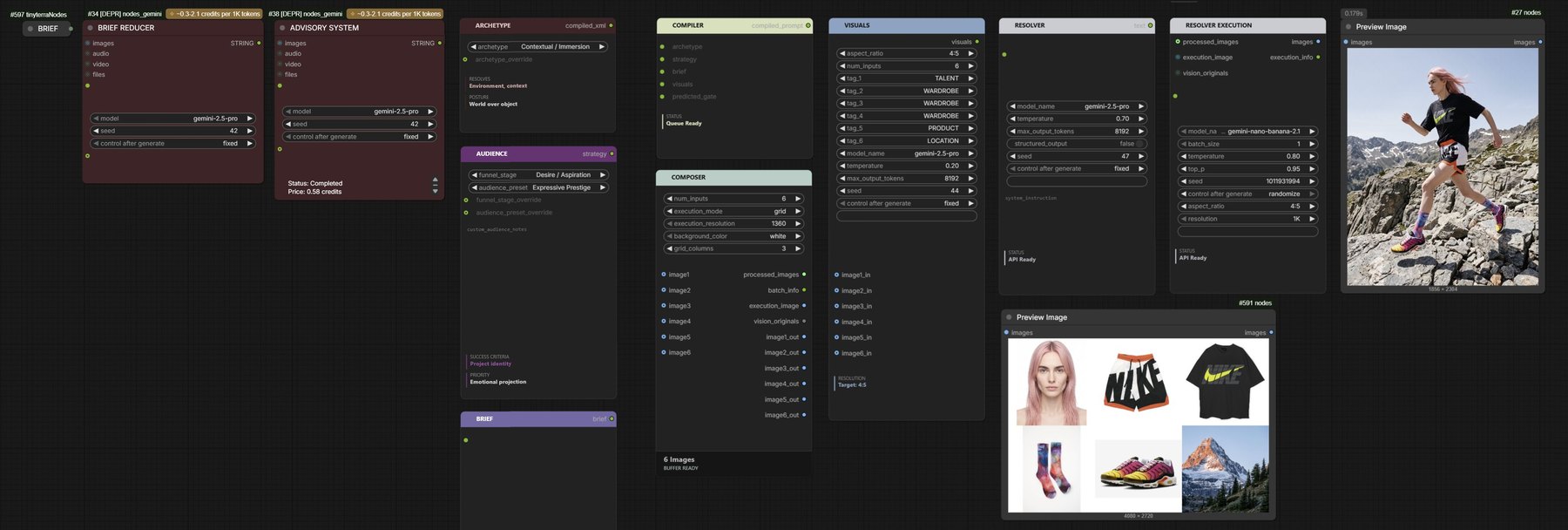
Banana Stack pipeline. Before the nodes, three language-model stages: Brief Director, a skill, interviews the user and writes the brief; the Brief Reducer, a Gemini node, extracts the brief into a fixed schema and declares the gate; the Advisory System, a Gemini node, recommends the three settings. The Advisory Decision Splitter extracts those settings, extracting only and never inferring; it overrides the Archetype and Audience nodes and passes the predicted gate to the Compiler. The input nodes: Archetype offers ten visual strategies, Audience six funnel stages and six audience presets, Brief holds the reduced brief as facts only in twelve fields, and Visuals holds the format and up to ten references. The Composer takes up to ten reference images, squares them and sizes them alike, and feeds Visuals. The Compiler assembles one prompt in a fixed order: system core, optional predicted gate at highest authority, archetype, audience and funnel, brief, visuals, prompt blueprint, output gate. It halts with no output if the prompt contains a token banned for the chosen archetype and funnel stage. An offline autoresearch loop tunes the rules: it runs synthetic briefs with traps, grades them and patches config.py while nodes.py stays frozen. The Resolver sends the compiled prompt to Gemini, which resolves one gate by rule — physical truth, the default, what is physically present; perceptual truth, how it is seen; or symbolic truth, what it means — starting at physical and escalating only when the inputs require it. It routes the brief: scene action, proof points, talent, lighting, framing and optics to physical truth; setting to context as physical affordances only; tone, narrative and message choose the gate and are never described. Conflicts resolve in the order gate, funnel, reasoning rules, archetype, brief. It writes one paragraph of plain text with no evaluative words. Resolver Execution sends that paragraph with the composed references to a Gemini image model and returns images.the brief, then the inputscompiler — one prompt, in a fixed orderresolution — Gemini reads the prompt and applies its rulesBrief Directorskillinterviews · writes the briefBrief ReducerGeminifixed schema · declares the gateAdvisory SystemGeminirecommends the three settingsAdvisory Decision Splitterextracts only, never infersoverrides archetype and audienceArchetype<active_archetype>one of 10 visual strategiesAudience<funnel_phase>6 funnel stages · 6 audiencesBrief<client_brief>facts only · 12 fieldsVisuals<input_manifest>format · up to 10 referencesreferencesComposerup to 10 reference imagessquared and sized alikeCompilercompiled promptassembled in this order01system corethe rules02predicted gateoptional · highest03archetype04audience and funnel05brief06visuals07prompt blueprintoutput structure08output gatefinal enforcementhalts on a forbidden tokentokens banned for the chosenarchetype and funnel stageno warning · no outputtunes the rulesautoresearch loopofflinesynthetic briefs with traps, gradedpatches config.py · nodes.py frozenResolverGemini · textresolves one gate — by rule, never chosen in the interfacephysical truthwhat is physically present · the defaultperceptual truthhow it is seen · optics, compositionsymbolic truthwhat it means · built, never statedstarts physical · escalates only when the inputs require itroutes the briefscene action, proof points, talentphysical truthlighting, framing, opticsphysical truthsettingcontext · physical affordances onlytone, narrative, messagechoose the gate · never describedwhen rules conflictgate › funnel › reasoning rules › archetype › briefwrites one paragraph · plain text · no evaluative wordsthe paragraphResolver ExecutionGemini · imagethe paragraph, with the composed referencesaspect ratio · resolution · batch → imagescomposed referencesdashed — language models outside the node suite

[fig. 5]comfyui canvas · reducer · adviser · inputs · compiler · resolver · execution

The Banana Stack workflow on one ComfyUI canvas: the brief, the reducer and the advisory system, the Archetype, Audience, Brief, Visuals, Compiler and Composer nodes, the two resolvers, the six references and the generated image

[pl. ii]further frames

aground contact

A second brief — the leading foot settling on a raised stone

bsame brief

The same brief, another frame — the character striding across alpine rock, seen from lower down

cproduct portrait

A fourth brief — the unworn shoe resting against fractured stone

dstep down

Another brief — the character stepping down across rock below an alpine peak

elift-off

A third brief — the trailing foot pushing off, the outsole showing

[fig. 1]type specimen · the study →

Liquid Light Engine — type specimen, green glass folding over amber cores, bubbles held in the mass

04 / system · specification system

Liquid Light Engine

contents
7 stills · 1 workflow canvas · 4 documents
models
Gemini 3.1 Flash Image · FLUX.1 [dev] · SeedVR2
made with
ComfyUI · Python / PyTorch · Cursor · Claude Code · Antigravity · Comfy Bridge

Liquid Light Engine is a specification-led system for generating photographic material worlds. It separates material physics, visual language and image intent, then carries selected specifications through validation, compilation and rendering.

Physical and aesthetic constraints are established upstream rather than renegotiated for every image. This provides a stable framework for directing the search, evaluating its results and developing selected materials further.

a written specification in · validation made before inference · an image out

01 / invariant

Physics core

Ten laws govern thickness, reflection, viscosity, trapped air, light, depth and finish. Derived through material research, comparative rendering and regression testing, they define the conditions required for consistent physical behaviour. The core is hash-verified; any drift stops the system at load.

02 / authored

Aesthetic profile

The visual language is encoded as a sealed profile governing lighting, tonal structure, framing, reflection behaviour and exclusions. Different profiles can establish radically different image conditions while the underlying material physics remains fixed.

03 / proven

Specification library

Selected material worlds are formalised as specifications and stored in collections. Once approved and entered into the ledger, a material becomes part of the working library, where it can be retrieved, adapted or used as the basis for further development.

[fig. 2]the workflow canvas
Liquid Light Engine — ComfyUI workflow canvas

One pipeline, four instruments

candidate worlds → measured specification → compiled prompt → judged image

01 author 02 explorer 03 validator 04 compiler 05 renderer

The authoring stage establishes the material intent. A specification may be developed through the system's Claude skill, derived from a brief, retrieved from the library or supplied directly. In every case, the pipeline begins with structured material data rather than an open image prompt.

[doc. 1]specificationJSON
"material": {
  "opacity_mode": "opaque-dark" }
"energy": {
  "viscosity": 9, "state": "churn" }
"reflections": { "regime": "dual" }
"tonal": {
  "composition_note": "focal-event" }

The specification holds the material hypothesis and every behaviour that must survive translation. It is data before it is prose.

[fig. 3]the frame it produced · study 02 →
Black glass under tension, folding around trapped light — the frame the specification produced
[doc. 2]compilationfixed order
  1. material identity + frame logic
  2. colour physics + tonal range
  3. viscosity + reflection system
  4. internal optics + depth
  5. camera + specific exclusions

The Compiler translates one selected specification into continuous render language. Position carries weight; exclusions are assembled only for that world’s actual failure modes.

[doc. 3]installComfyUI custom nodes
custom_nodes/
└── ComfyUI-LLE-Engine/
    ├── LLEProfileLoader
    ├── LLECollectionPicker
    ├── profiles/
    ├── collections/
    └── example_workflows/LLE_default.json

Copy the pack into ComfyUI and restart. The engine bundles its Python requirements; the flagship canvas arrives pre-wired.

[doc. 4]authoringClaude skills
/lle-spec-author     one world, inside a sealed profile
/lle-new-aesthetic   a whole taste, onboarded and sealed

Specifications are not typed, they are authored — against the active profile, by instruments built for that job: one for a single world, one for onboarding an entire new taste. The system's first stage is a tool, not a prompt box.

[pl. i]

Olive glass — bubbles through flowing form
Amber glass — cool-to-warm transmission
Amber glass — warm core in dark mass
Pearlescent fluid — satin fold
Chrome glass — stepped ridges
five specifications, one sealed profile — the physics core unchanged between them · the library →

Validation is not engineering bolted onto a picture practice. Photography is already the study of why something looks the way it does; a system built out of that has to be able to prove itself wrong somewhere measurable. Three places hold that.

Earned

The rules were not authored in advance. Core prompt candidates were proposed against a scored baseline, graded, and promoted only when they beat it on verdict accuracy without regressing the guard cases. Profile laws carry the specific failure that earned them: no rule without a recorded corpse.

Certified

verdict accuracy98.9%

98.9% verdict accuracy on a 31-case labelled core-tier set, measured across three runs with Opus 4.8 as the certification instrument. Certification is bound to that exact prompt, model and settings; production runs on Gemini 3.1 Pro. The validator judges specification text, never image quality.

Sealed

A profile is sealed to the exact physics core it was certified against — the seal is a hash of the assembled manifest. Load it on a different core and the system still runs, but reports the profile as uncertified until it is proven again. Taste is portable; the claim that it was proven is not.

direction · not yet built

A specification is written to survive translation, so it need not end at an image — handed to an agent, the same document should be able to build the material as a CG shader. And the worlds that never shipped are still specifications: kept, they become a library to draw a starting point from on a job. Neither exists yet.

[fig. 1]restored · 4640 × 5760

Portrait 1 restored — a pale face, straight black hair, three moles on the cheek, a leather jacket

[fig. 2]restored · 4610 × 5760

Portrait 2 restored — a darker-skinned face, curly black hair, freckles, a herringbone coat

05 / system · restoration

Restoration Engine

contents
2 portraits · 22 renders · 1 canvas · 4 maps · 3 reports
models
SeedVR2 7B
made with
ComfyUI · Python / PyTorch · Claude Code · Comfy Bridge

A set of custom ComfyUI nodes built around the SeedVR2 upscaler. They run SeedVR2 as a pipeline in which every stage can be set and inspected. Noise is added to the whole frame, the image is split into tiles for upscaling, and the tiles are stitched back. The result is then mixed with the original band by band: broad colour and light from the original, fine detail from SeedVR2. An alignment check measures whether the upscale still lines up with the source, and the mixer can reduce or refuse the mix when it does not.

The nodes are controls and instruments, not a fixed recipe. They make it possible to test how SeedVR2 responds to its input. One such test, of a single control, is shown below.

eight nodes · five modules · one tile per call · exact crop back

SeedVR2 and the Restoration Engine

The same source through SeedVR2 on its own and through the suite, at the same output size. On flat skin, SeedVR2 on its own leaves the surface smooth; with the noise node at the tested setting it rebuilds pore-level texture. On detail that is already sharp — eyes, brows, hair — the two are close.

[pl. i]the same regions at actual pixels

anose · portrait 1

SeedVR2 on its ownRestoration Engine

Portrait 1, the bridge of the nose, SeedVR2 on its own — the skin smooth Portrait 1, the bridge of the nose, through the suite — pores across the skin

bbrow · portrait 2

SeedVR2 on its ownRestoration Engine

Portrait 2, between the brows, SeedVR2 on its own — the skin smooth Portrait 2, between the brows, through the suite — pores across the skin

Grain scale

One control of one node, tested on its own. The noise node adds fine grain to the image before SeedVR2 sees it, and one control sets how coarse that grain is. Too fine and skin comes out plastic, smoother than with no noise at all. Too coarse and it turns blotchy. Between the two, SeedVR2 rebuilds pore-level texture.

928 × 1152 in · 4640 × 5760 out · one pass · grain scale 1.0 – 4.5, nothing else changed

[pl. ii]grain scale · portrait 1

ainput · 928 × 1152

Portrait 1 — the low-resolution input, with the region shown beside it marked

boutput · detail at actual pixels

Cheek, SeedVR2 on its own, without the suite — smooth Cheek, grain scale 1.0 — plastic, with a woven imprint Cheek, grain scale 1.5 — plastic Cheek, grain scale 2.0 Cheek, grain scale 2.5 — pores Cheek, grain scale 3.0 — pores, the peak Cheek, grain scale 3.5 — pores Cheek, grain scale 4.0 — blotchy Cheek, grain scale 4.5 — blotchy
SeedVR2plasticporesblotchy

[pl. iii]grain scale · portrait 2

ainput · 922 × 1152

Portrait 2 — the low-resolution input, with the region shown beside it marked

boutput · detail at actual pixels

Bridge of the nose, SeedVR2 on its own, without the suite — smooth Bridge of the nose, grain scale 1.0 — plastic Bridge of the nose, grain scale 1.5 — plastic Bridge of the nose, grain scale 2.0 Bridge of the nose, grain scale 2.5 — pores Bridge of the nose, grain scale 3.0 — pores, the peak Bridge of the nose, grain scale 3.5 — pores Bridge of the nose, grain scale 4.0 — blotchy Bridge of the nose, grain scale 4.5 — blotchy
SeedVR2plasticporesblotchy

[fig. 3]comfyui canvas · prepare · degrade · split · restore · combine · measure · mix

The full ComfyUI restoration pipeline on one canvas, with portrait 1 loaded — its noise residual, tiles, frequency differences, mask and final output in the preview nodes

What each node makes visible

Middle grey is no change. None of the maps is a picture of the portrait — they are what the pipeline puts on the canvas while it works.

  1. Prepare

    Which of three sizing routes it took. Padding is flagged, because padded black is restored at full price.

  2. Tiling

    The grid actually in use after clamping, rather than the numbers you typed. Each tile carries context past its own edge.

    [doc. 1]tile plan

    4640×5760 → working 4656×5760
    grid 3×4
    core 1552×1440
    context 64×64 each side
    model tile 1680×1568
    pad L0/R16/T0/B0
    alignment 16
    order row_major
    tile 2.63 MP vs full frame 26.73 MP
    12 tiles processing 1.18× the source pixel area
  3. Noise

    Exactly what was withdrawn before the model saw it. Defects look like signal, so the model preserves them; weakened first, they get rebuilt.

    [fig. 4]noise residual

    Noise residual for portrait 1 — the grain injected across the whole frame before tiling, lighter over the face where edges are protected
  4. Combine

    How far neighbouring tiles disagreed where they overlap, measured before any preview gain. It refuses the run if a tile comes back the wrong size.

    [doc. 2]combine summary

    Combined 12 tiles by normalized cosine overlap-add
    context 64×64 each side
    blend 32×32 each side
    working 4656×5760 → exact crop 4640×5760
    weight range 1.0000–1.0000
    seam disagreement max 0.37089, mean 0.00901
  5. Alignment

    Whether the upscale still lines up with the source, and what the gate did about it. It never corrects the image.

    The alignment check executes whether or not anything is wired to its outputs. A check that only ran when connected would fail silently, and silence looks like success.

    [doc. 3]alignment, measured

    ALIGNED.
    Offset dy -0.180 px, dx -0.209 px (magnitude 0.276 px).
    Severity 0.033 against a threshold of 0.25, measured at detail scale 1.5 px. Severity is the high-band error recoverable by a single global shift, so it reads low when no global shift would help.
    Correlation confidence 157.9 (peak-to-sidelobe; below 12 is untrustworthy, unrelated images score about 8).
    Local 3x3 offset spread 0.317 px across 9 patches (threshold 0.75).
    Any residual offset is too small to meaningfully damage the high band. Safe to mix.
    Local offsets scatter by 0.317 px, above the 0.25 px seen on rigid pairs but below the threshold. Minor sub-pixel variation of this size is normal for a generative restoration and is not evidence of warping.
  6. Frequency mixer

    What the model proposed in each band and how much was accepted. Low 0.10, mid 1.00, high 1.00 — colour from the source, detail from SeedVR2.

    [pl. iv]frequency differences

    Low-frequency difference for portrait 1 — what the model changed in broad colour and light Mid-frequency difference for portrait 1 — what the model changed in outline and soft structure High-frequency difference for portrait 1 — the fine detail the model added

[fig. 1]the record

Portrait Performance System — one identity, the rendered record

06 / system · portrait performance

Portrait Performance System

contents
31 stills · 1 canvas · 3 documents
models
GNM · Gemini 3.1 Pro · Nano Banana 2 · gpt-image-2
made with
ComfyUI · Python · MediaPipe · Claude Code · Comfy Bridge

A portrait system built as ten custom ComfyUI nodes. A person is held as a written identity specification, read from a reference photograph by a language model or authored by selection with no photograph. The photograph never reaches the image model. Identity, expression and pose are then addressed separately.

Expression is authored in FACS, the coding system that numbers each movement a face can make, through a vocabulary that turns a word into those numbers. To turn the head, a 3D head is fitted to the portrait and the description is derived from the geometry actually rendered, so the words and the map cannot disagree.

identity · expression · geometry · a render document to the image model

[fig. 2]comfyui canvas · portrait-performance-system workflow

The Portrait Performance System workflow on one ComfyUI canvas, in five groups: 01 spec, 02 compose and hero render, 03 expression — semantic, 04 spec edit, 05 expression — geometry, each ending in its rendered portrait

The canvas, stage by stage

spec → compose and hero render → expression, semantic → spec edit → expression, geometry

01 spec 02 compose 03 express 04 edit 05 turn

A language model reads the reference photograph and writes an identity specification. It records identity only: expression and head pose are assessed, because they decide which asymmetries may be recorded, but never written down. The same document can be authored by selection in the Identity Builder, with no photograph.

The person as a document

The photograph never reaches the image model. It is read, and what was read is what gets rendered.

The specification is what gets edited. Blocking a tattoo deletes the tattoo from the document; changing the backdrop changes a value in a field. A second model resolves what is left, and only a render document projected from that result reaches the image model.

The reference and the result below are shown as they came out: no field of the specification was edited by hand. Where the result drifts, in the skin or the hair for example, the field can be edited and the portrait rendered again.

[fig. 3]the reference

The reference — a character rendered from a written specification with no photograph: black hair combed back, a mole above the lip, a red cable-knit cardigan with a sailor collar and two black bows

[doc. 1]identity specification · fragments

Identity specification fragments · authored by selection · no photograph

[fig. 4]the result

The result — the same character after the reference was read into a specification and rendered from it: the mole sits on the other side of the mouth and the two bows have become one ribbon tie

One identity, four expressions

EMFACS gives anger one row: 4 + 5 + 7 + 23. The vocabulary holds 31 words for it, skeptical among them. A word picks a starting point; which muscles fire, how hard, on which side, and where the eyes and head go are separate dials. With no units set, the compiler returns its fixed neutral clause byte for byte, and a test enforces it.

[pl. i]at rest and four expressions

aat rest

At rest — no action units; the neutral render every expression beside it starts from

bcurious

Curious — the inner brows lifted, the head turned to one side and tilted, the eyes back on the lens

camused

Amused — the cheeks raised and the lip corners drawn back in a closed smile, the head square to the camera

dskeptical

Skeptical — the brows drawn down and one corner of the mouth tightened, the head square to the camera

eashamed

Ashamed — the head turned well away and bowed, the eyes lowered, the mouth corners slightly down

[doc. 2]the action units that separate them

a  at rest
   no units

b  curious
   1B + 2B + 5A

c  amused
   6C + 12C + 7B

d  skeptical
   4C + 14C on one side

e  ashamed
   1B + 15B

A trace · B slightly · C markedly

One expression, two identities

An expression block names muscles and how hard they work, never a face, so the same block applies to any identity. Both portraits were re-expressed from the same five blocks.

[pl. ii]the same five blocks on two identities

aprinted top

A directed character — long blonde hair parted in the centre, a high-necked top printed in red and coral

bwool coat · beaded knit

A directed character — a black wavy bob, a grey wool coat over a white knit with beading at the neck

action unitsnone

six expressions — move across a portrait, tap it, or pick from the scale

The head solved at three angles

As the head turns away from the camera, the system shortens the description. The image model follows the text over the geometry map, so describing the eyes of a head that faces away turns it back to the camera. To set how much to cut, 24 action units are measured against neutral at every ten degrees of the turn.

[fig. 5]geometry over render

The fitted head at three angles of turn, about 40°, 90° and 140°, laughing with the jaw dropped — the normal map above, the finished render below

[doc. 3]what each muscle still says as the head turns

                  0°  40°  90° 140°
inner brow raise 1 ●   ●    ○    ○
jaw drop 26        ●   ●    ●    ●

at strength C, markedly

Ten identities at neutral

Every cell is the same rig at rest — neutral, frontal, evenly lit, the same distance. Nothing varies across a row, because the anchor is the document before any world field has been filled in. What differs between them was written, not directed.

[pl. iii]the cast

hover for the register — click to enlarge — arrows step through the cast

Ten nodes, three groups

PPS/Expression · PPS/Geometry · PPS/Identity

no.nodewhat it doesstage
01Identity builderAuthors an identity specification by selection, or loads one and changes a field.01 · 04
02Compose inputJoins specification, render choices and expression into the document the composer reads.02
03Extract sentencePasses on only what the renderer may see: the composed sentence, or a render document.02 · 04
04Sheet viewsSplits a multi-view character sheet into its named views for the stages that follow.optional
05Expression studioOne authoring surface: 146 emotion words, 57 presets, eight action-unit slots, head, gaze, containment.03 · 05
06Apply expressionRe-expresses a resolved specification without another language-model round trip.optional
07Expression compileOne expression block in, anatomical prose out. Deterministic, and adapted to what is visible.05
08Ear pointsMarks the top and bottom of one ear on the image, giving the fit a measured ear extent.05
09Identity fitFits a 3D head to the portrait, posed with the block’s expression. Emits the map and what it measured.05
10Prompt assembleBuilds the prompt from that measurement: map contract, view lock, expression, final instruction.05

Limits and provenance

The likeness is similar rather than exact, and the description is allowed to say that an expression cannot be read from an angle. Both are deliberate: the description states what the view supports and no more.

The head is Google Research’s GNM and the landmarks come from MediaPipe. GNM was trained on binary gender categories and four broad demographic groups, and the identity builder inherits that limit.

The nodes were briefed rather than written. Comfy Bridge, an MCP for local ComfyUI, built, tested and deployed them.

Selected archive, 2012—2020

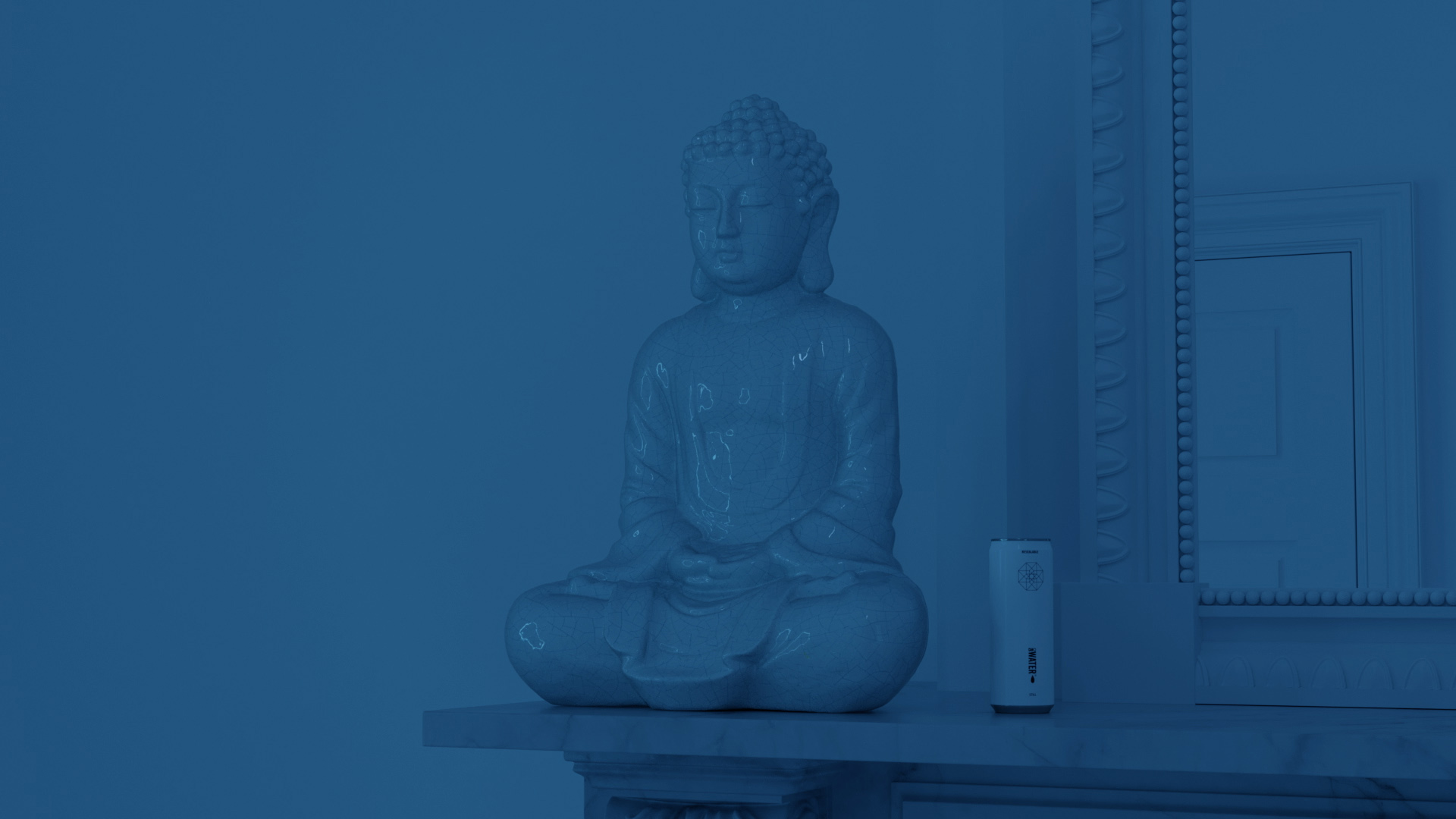
Casting Out the Self — installation view

foam fotografie museum, amsterdam · tj boulting, london

Chasing Demons in the Night

virtual exhibition, based on the interior of foam fotografie museum, amsterdam

The Anointing Water

oonagh young, dublin

Under the Influence — installation view

tj boulting, london

Record, 2005–2025→

Record, 2005—2025

collections

  • Foam FotografiemuseumAmsterdam
  • Fotomuseum WinterthurWinterthur
  • National Portrait GalleryLondon
  • Royal College of ArtLondon

2025

2020

2019

2018

2017

2016

2015

2014

2013

2012

2005

  • educationBA Photographic ArtUniversity of South Wales, Newport
Archive, 2012–2020→

contact

Much of my practice has developed through a curiosity about how images are made, how they shape our understanding of the world, and the relationship between what we see and what we believe to be real.

Photography provided an early means of investigating these questions, particularly through light, staging and the construction of visual experience. My interest in the mechanisms of image-making gradually extended into CGI, computational imaging, optical experiments and physical installations. Moving between these disciplines allowed me to investigate not only the appearance of images, but the underlying processes and technologies that make them possible.

I've always been interested in understanding how things work. This often involves moving beyond the immediate application of a tool to examine its underlying principles, limitations and possibilities. I've designed and built photographic apparatus, experimented with material capture and reconstruction, investigated ways of manipulating light, and developed techniques that move between physical and virtual environments. Each investigation brings its own questions, often requiring knowledge from several disciplines and leading in directions I hadn't originally anticipated.

More recently, generative imaging has opened up another set of questions. These technologies offer extraordinary possibilities, but they also fundamentally change how images are constructed and controlled. Understanding their behaviour, identifying their limitations and developing ways to work beyond those limitations has become an important part of my practice.

This has increasingly involved developing my own software, imaging pipelines, custom tools and agentic systems. I'm interested in how complex processes can be understood, structured and made accessible to intervention, but equally in what becomes possible when those processes can be approached differently. Building a tool is often as much an investigation as the work it enables.

The studies, systems and archive presented here reflect different aspects of this continuing enquiry. The technologies and methods have changed, but the underlying approach remains: to investigate things in sufficient depth to understand their possibilities, question their limitations and discover what else might be done with them.

studio@dominichawgood.com